Everyone on the job sees the job.
Nobody sees your margins.
Text the scope to a sub or your crew. They send back notes and photos, pinned to the sketch. Plan every visit with its checklist, and see who's on site and what your customer just opened.
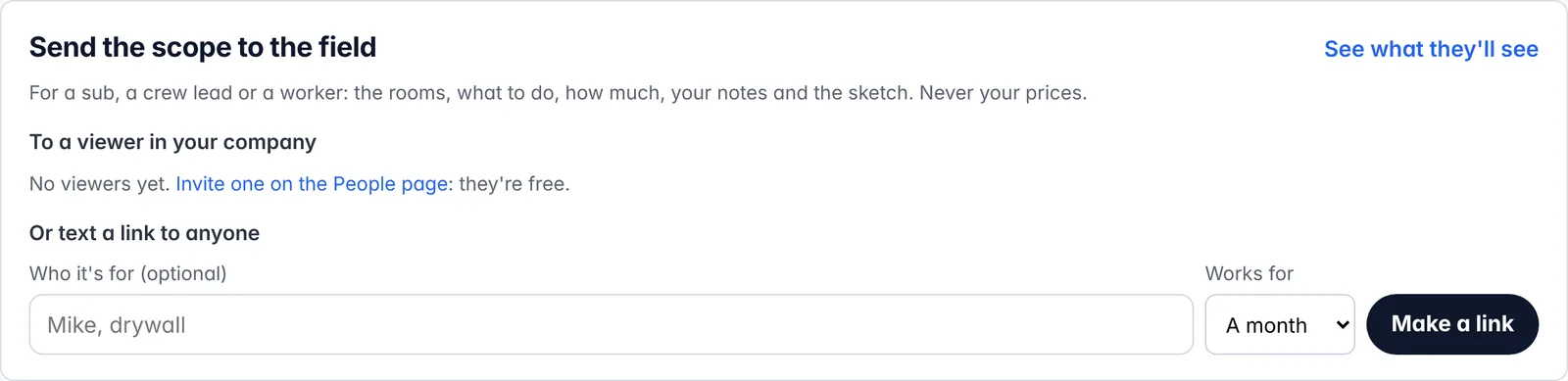
A link your sub can open standing in the driveway
Every job and estimate has “Send the scope to the field”. Text it to anyone. They see exactly what to do, room by room, and never a dollar.
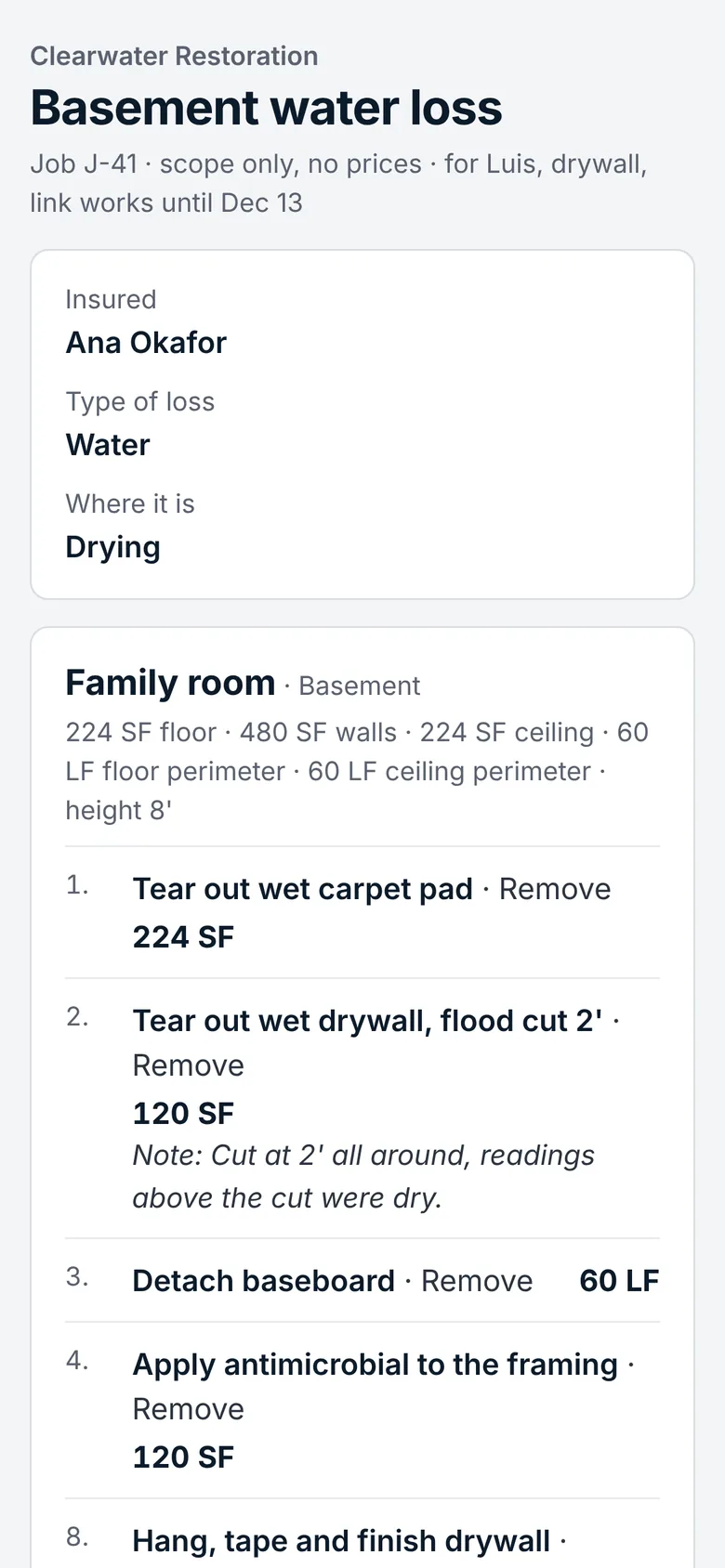
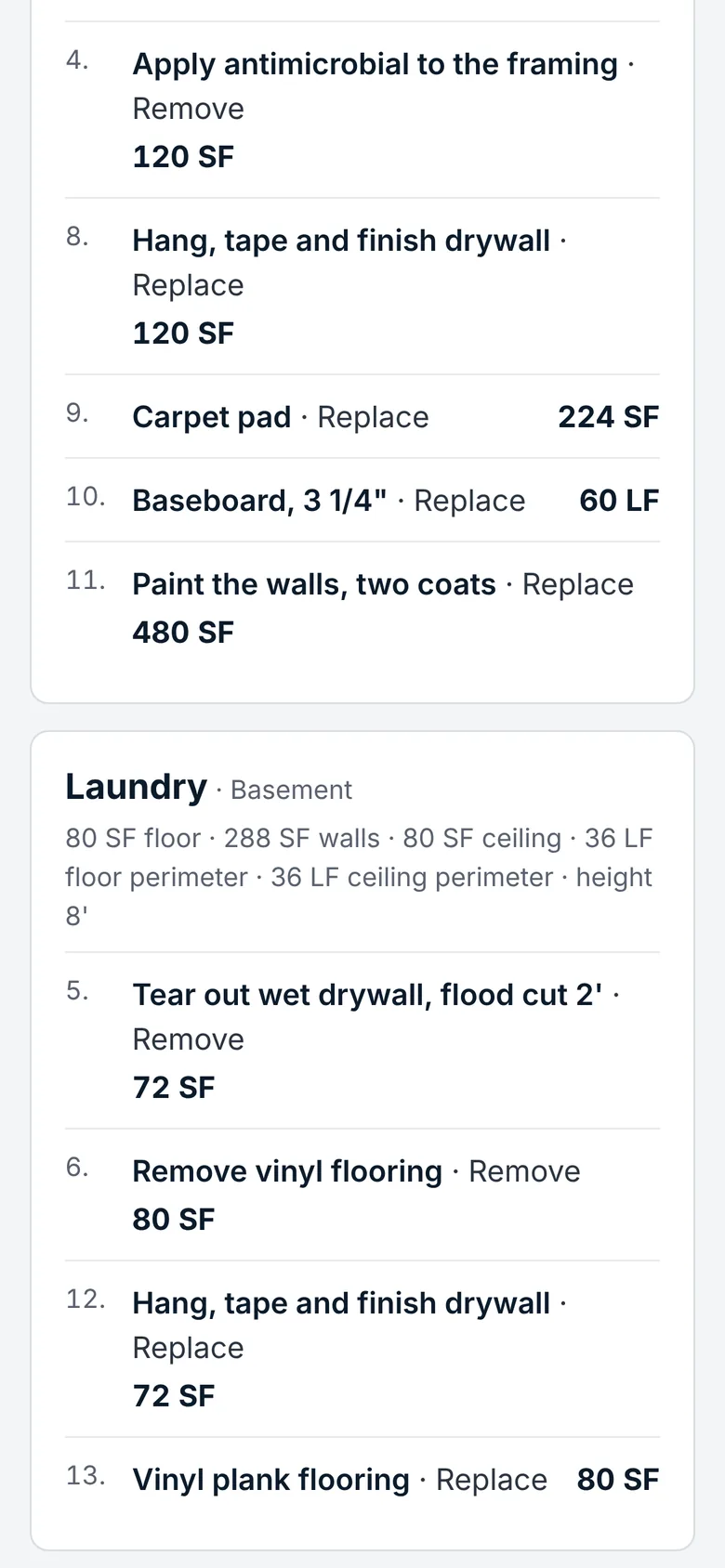
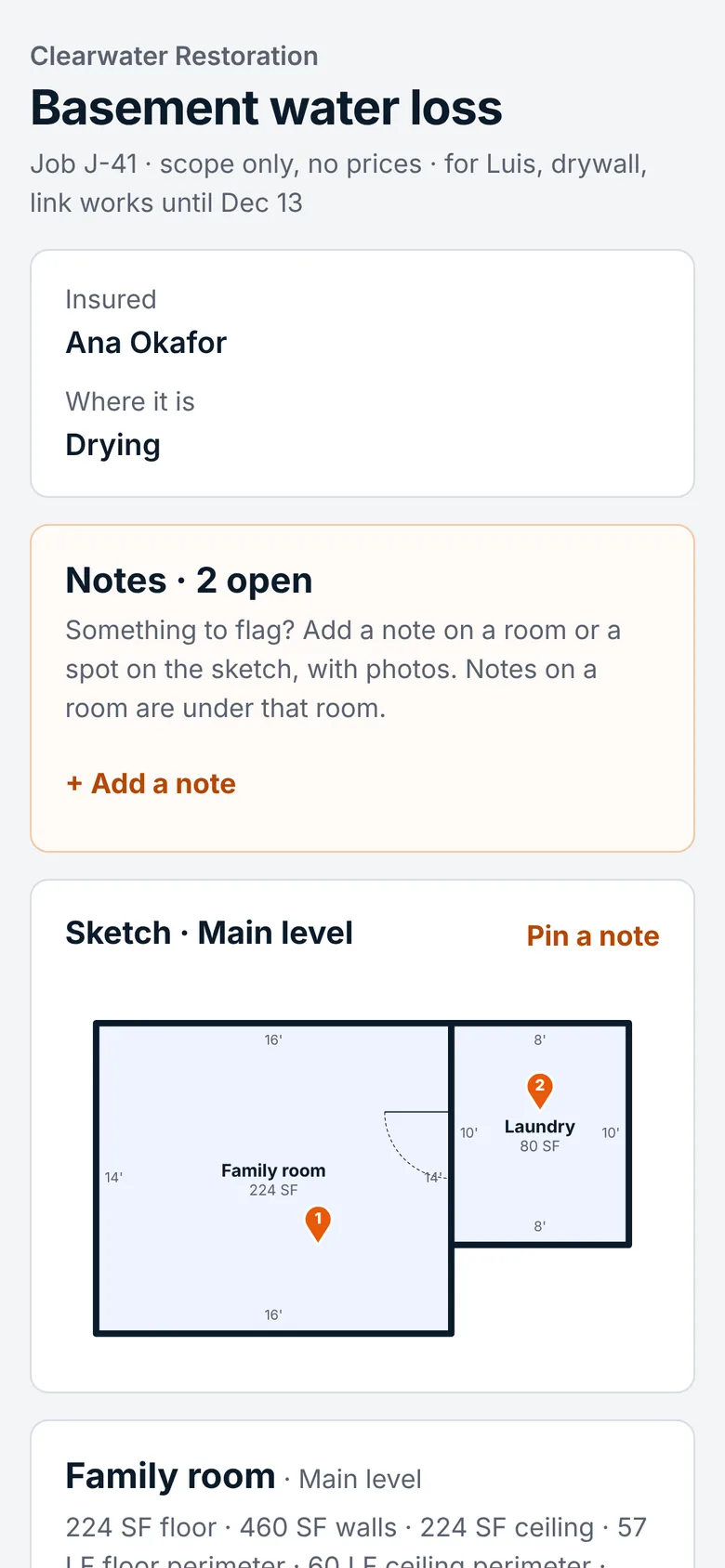
- Made for a phoneEach room with its measurements, the work in order, what to do and how much, your notes, and the sketch of each level to scale.
- Never any moneyNo prices, totals, costs, markup or profit. Not even the carrier or the claim number on an insurance job.
- No app, no accountA link that works for a week, a month or three months, until you turn it off.
- Always the current scopeChange the job and the link shows the change the next time it's opened. No re-sending.
- Know it was readSee how many times the link was opened, and when last.
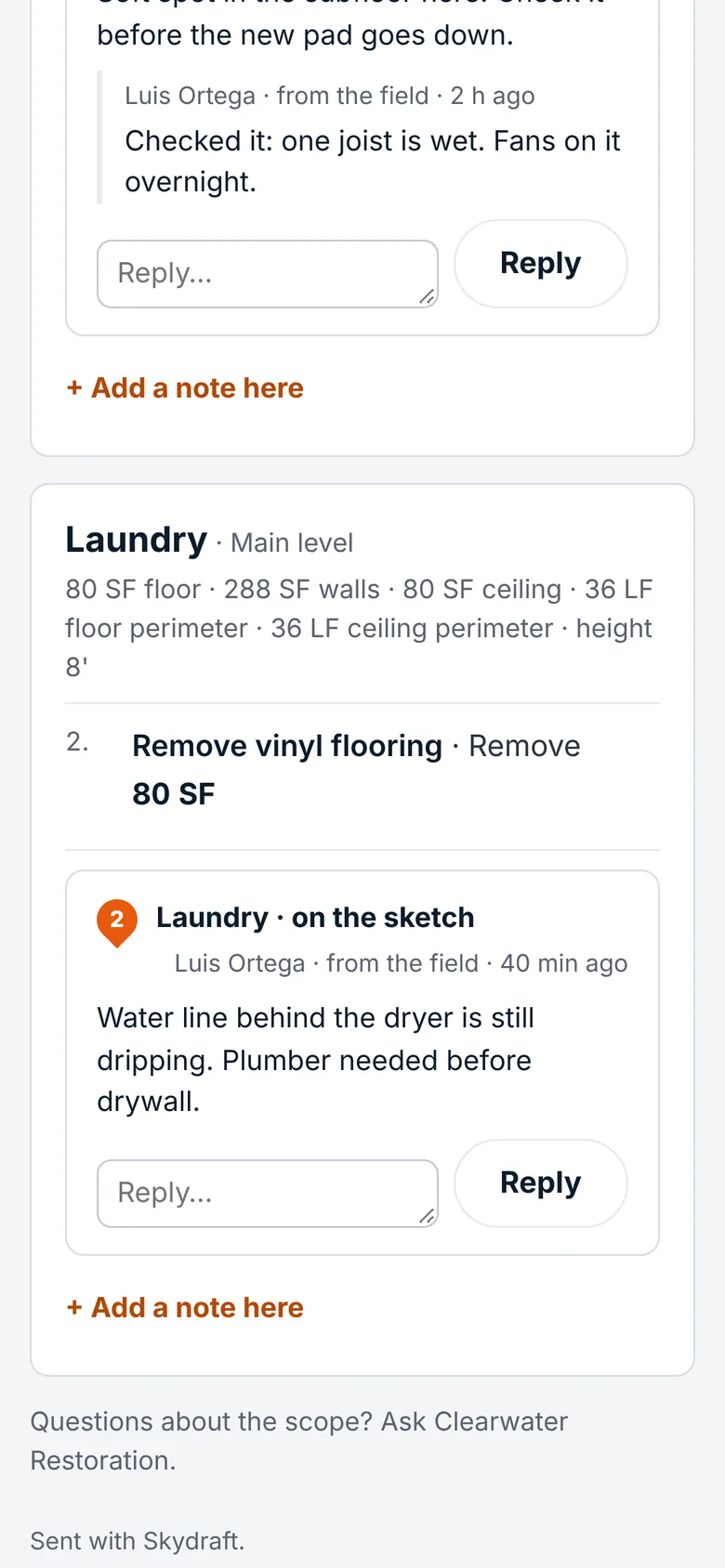
Your crew answers right on the sketch
Whoever has the link can leave a note on a room or a line, pin it to the spot on the sketch, and add photos. The office sees it on the job and the bell says it arrived.
- Pinned where it happenedTap the sketch to drop a pin: “Soft subfloor by the tub.” Each pin is numbered on the drawing.
- Photos with the noteStraight from the phone's camera, kept with the note and on the job's photos.
- Replies and doneAnswer from the office, mark it done, and the field sees it next time they open the link.
- Never seen by your customerNotes stay between you and the field. The customer's estimate never shows them.
Your project managers and lead techs, free, and on the job
Invite them as field people: part of the company, never a paid seat. They sign in on their phone and see the jobs they're on and their visits, and add notes and photos as they work.
Free, as many as you need
On Team, Restoration and General Contractor. Field people never take a paid seat.
The jobs they're on
Put them on a job from the office, or send them on a visit to one and they're on it. They see that job and nothing else of yours.
Their day, on their phone
Today's visits with the checklist to tick, Start and Done. Finish a monitoring visit and it's in the drying log.
Drying logs from the site
Let a lead tech keep the log: equipment in and out, air and moisture readings, and goals, on the jobs they're on.
The price, if you want
Let a project manager see the customer's price and payments on contract work. Never your costs, markup or profit.
Viewers for everyone else
Subs and helpers get a free viewer login or a link: the scopes you share, and nothing else.
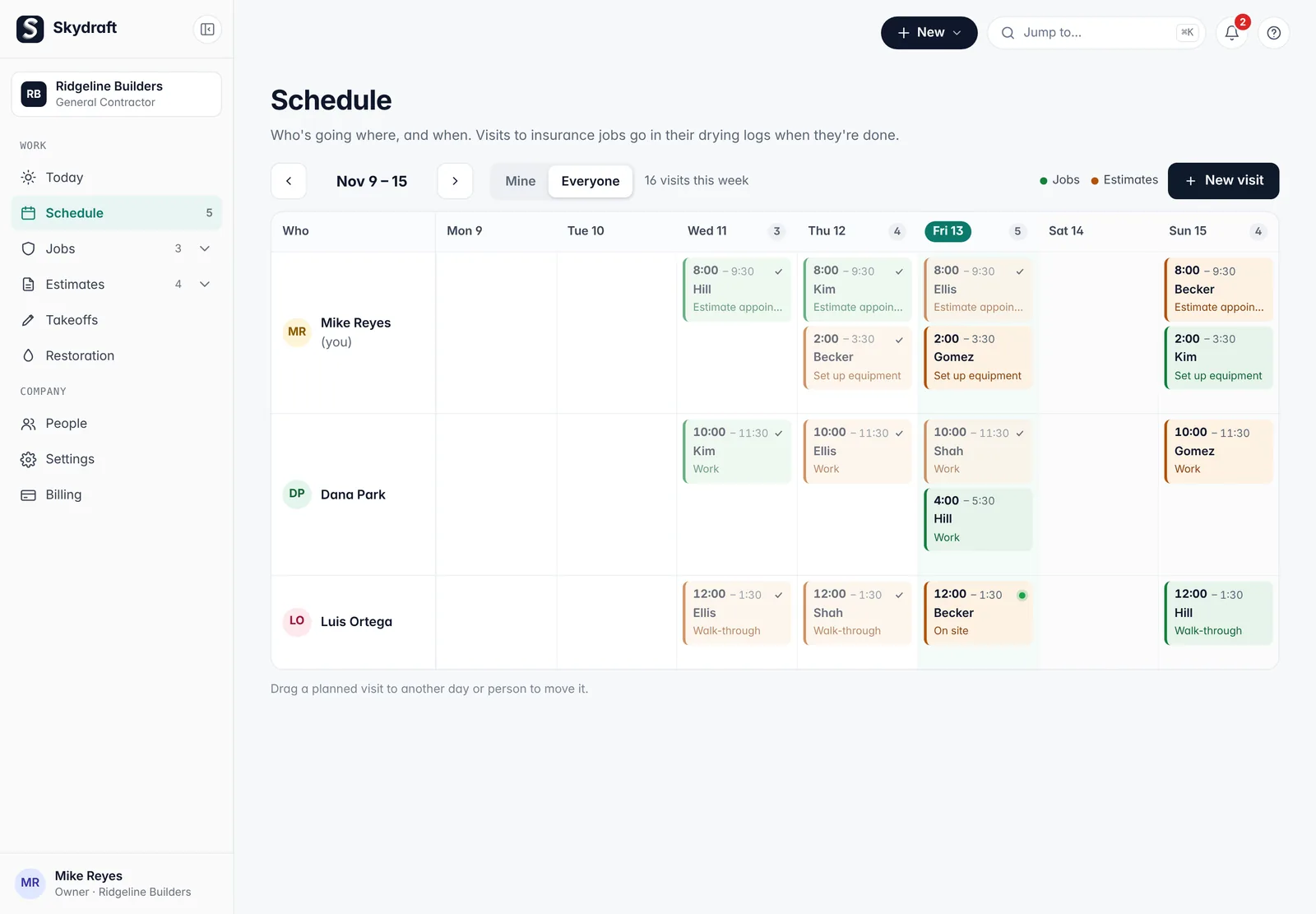
Plan who goes where, with the checklist already written
A visit is someone going somewhere at a time: a measure, a work day, a walk-through, monitoring. Each starts with a checklist that fits what it's for.
- A row for each personThe week at a glance, each visit colored by kind, with its time and place. Mine or Everyone.
- Checklists that fitAn estimate appointment starts with measure the rooms, photos, talk through the scope. Change it freely.
- Started, done, couldn't get inEach visit has its status. On insurance jobs, a finished visit is written into the drying log by itself.
Know where everyone is, and what needs you
Today opens with the day's visits for the whole company, on a map, and what's waiting on you.
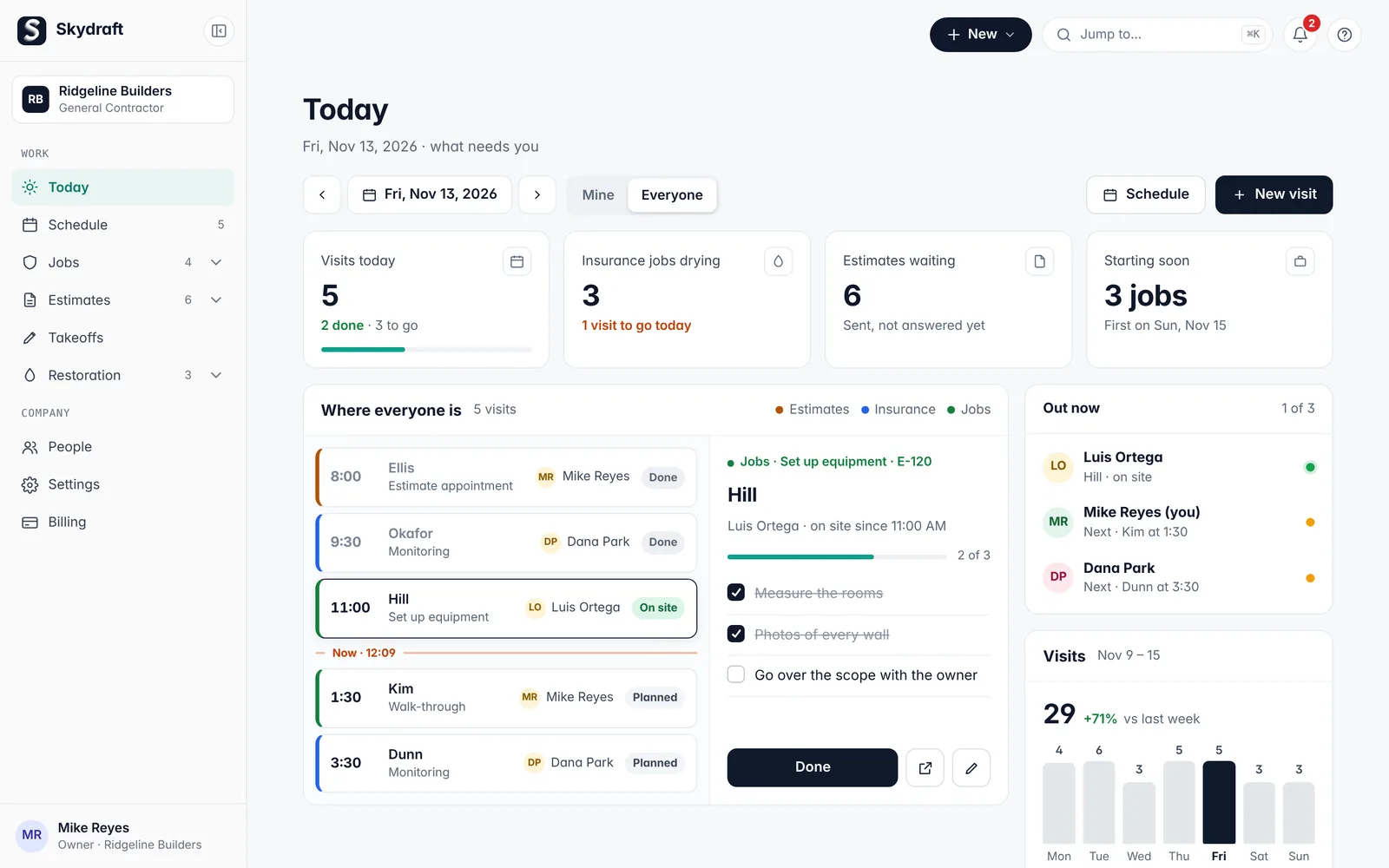
Out now
Each person from their visits: on site, running late, next, or done for the day.
Where everyone is
The day's visits as pins on a map, with a line along each person's stops in order. Nobody's phone is tracked.
What's waiting
Estimates out with customers, jobs starting in the next two weeks, and insurance jobs drying.
The week
Visits by day, against the week before.
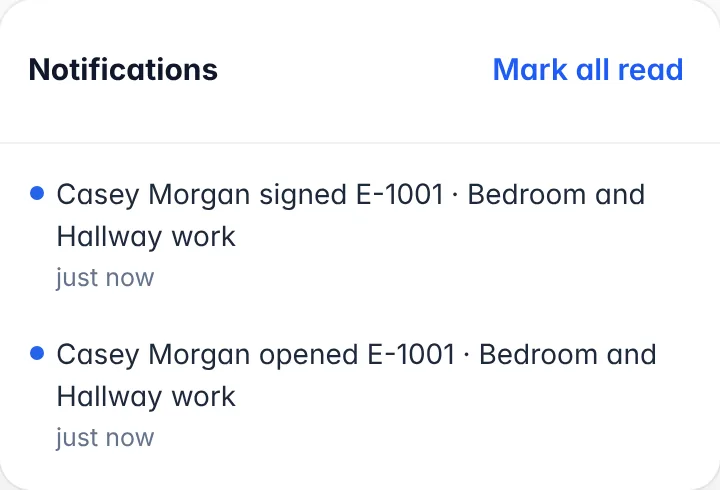
Know the moment your customer opens it
The bell shows what's happened on your estimates and jobs, newest first. You're emailed when one is signed or declined.
- Opened, signed, declinedOne note per estimate and kind, each linking to the job.
- A note from the fieldWhen someone with a field link leaves a note, the bell says who and on which job.
- An email that didn't go throughYou see it right away, with the link ready to copy and send another way.
- Two estimators, one takeoffOn the General Contractor plan, each sees who else is on which sheet, and what they draw, within seconds.
Everything about the job, kept with the job
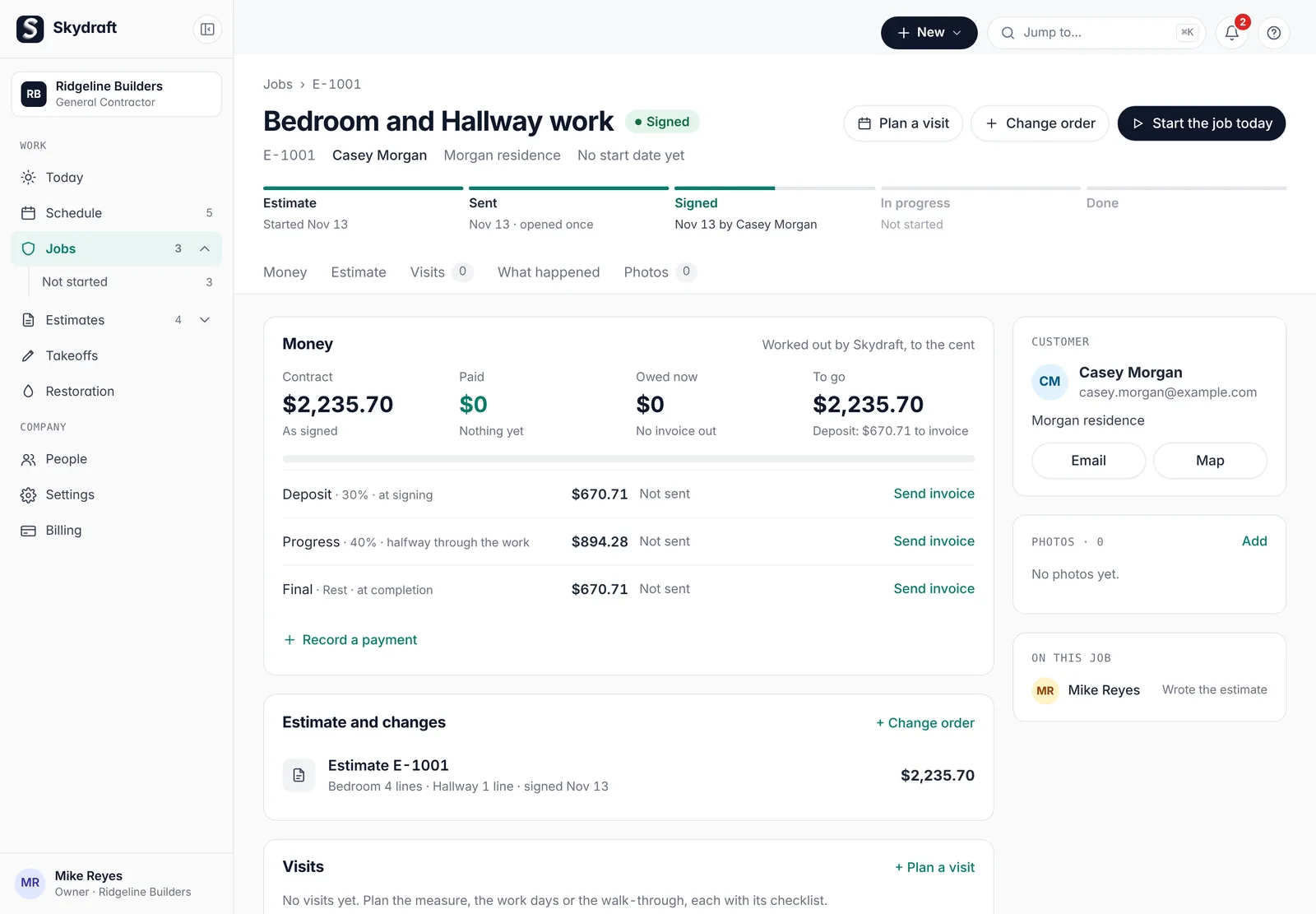
Photos, notes and who did what live on the job page, next to the money and the visits.
- Photos on every planAdd up to 50 at a time, for the whole job or a room, with a caption and the date taken.
- Notes on every planOn a room, a line or a spot on the sketch, with photos and replies. Mark them done as you go.
- Proof for a lineOn insurance jobs, a photo can be the proof for an estimate line and goes in the PDF, by room.
- Who changed whatEvery save is in the change history: “Added Kitchen: line 3, Drywall (Replace)”, with who and when.
The Skydraft app for iPhone and iPad is on its way: the job, its notes and photos from the job site, working even with no signal. Until then, the field link works on any phone today.
Get the scope to the field today
Make a link, text it, done. Free field people and viewers on Team and up.
7 days free on every plan. No credit card.