Walk the loss.
Write the estimate the adjuster expects.
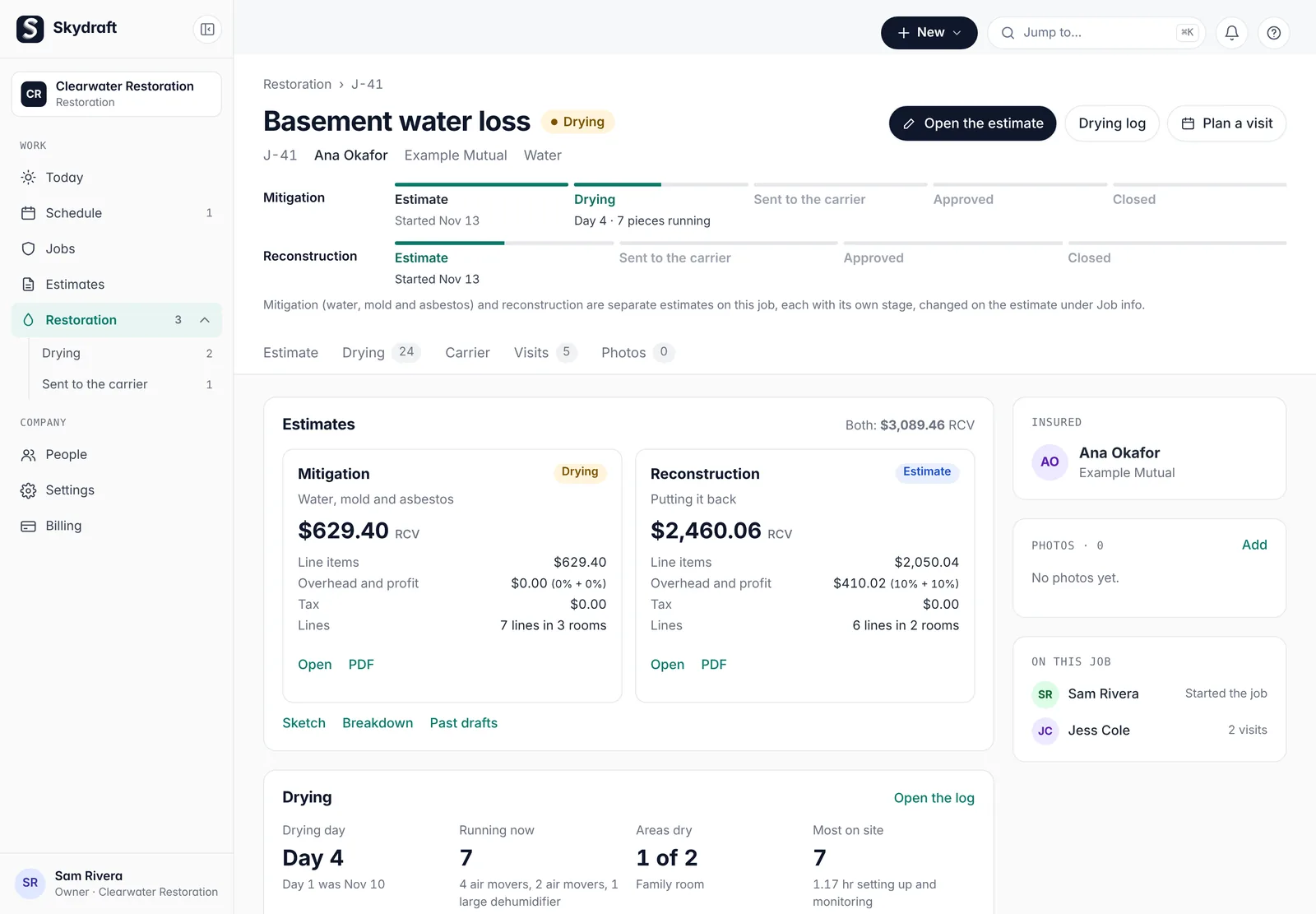
Sketch, drying log, mitigation and reconstruction estimates, supplements and the carrier comparison, in one place. Nothing retyped between three apps.
Talk through the loss. Get the rooms, the sketch and the lines.
Say what you'd tell the office from the driveway. Skydraft writes up the rooms and which is beside which, draws the sketch with the doors between them, and matches the work to your price list.
“Category 2 water loss. Living room 16 by 14 with the hallway beside it through a cased opening. 2 foot flood cut, 3 air movers and a dehu for 3 days.”
What you get: the loss, the rooms side by side with the doors between them, line items with their actions, equipment counts and days, and notes for the adjuster.
- Quantities from the sketchFloor, walls less the openings, baseboard less the doors. The AI never sets a size or a price.
- A short list to checkSizes not given, a flood cut height, equipment without days.
- IncludedDescribe the loss costs nothing extra on the Restoration plan.
Readings in. Equipment days, dry dates and the backup out.
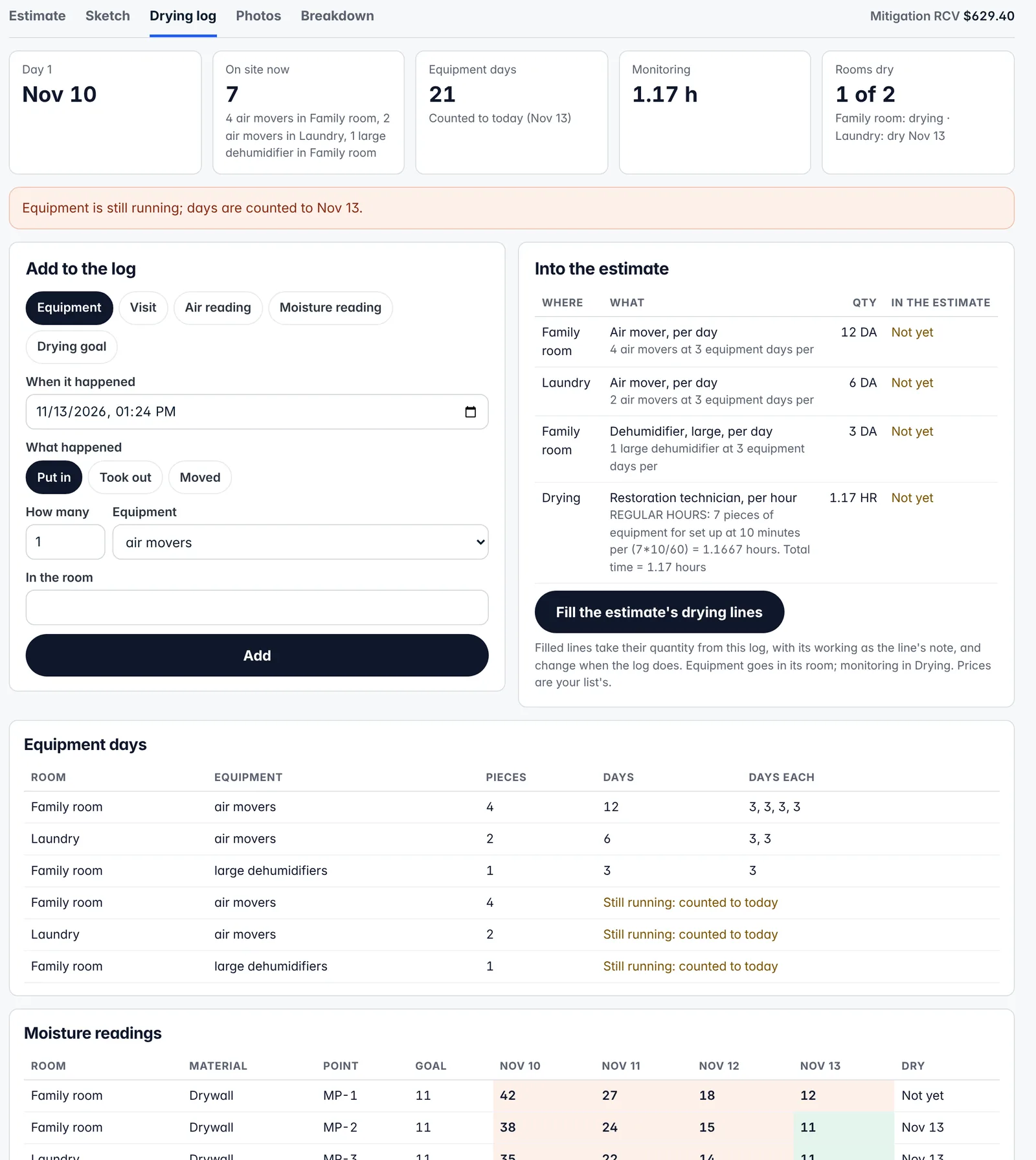
Log equipment, air and moisture readings, and drying goals. Skydraft works out the rest, and the log is never changed: a mistake gets a correction, and both stay.
- Equipment days count themselvesPut in, moved, taken out. Each piece's days are counted, and fill the estimate's drying lines.
- Dry dates from the readingsEach point is dry from its first reading at or under its goal. Goals come from your reference readings.
- Monitoring visits, loggedFinish a monitoring visit and it's written into the log, with who went and when.
The way adjusters expect them
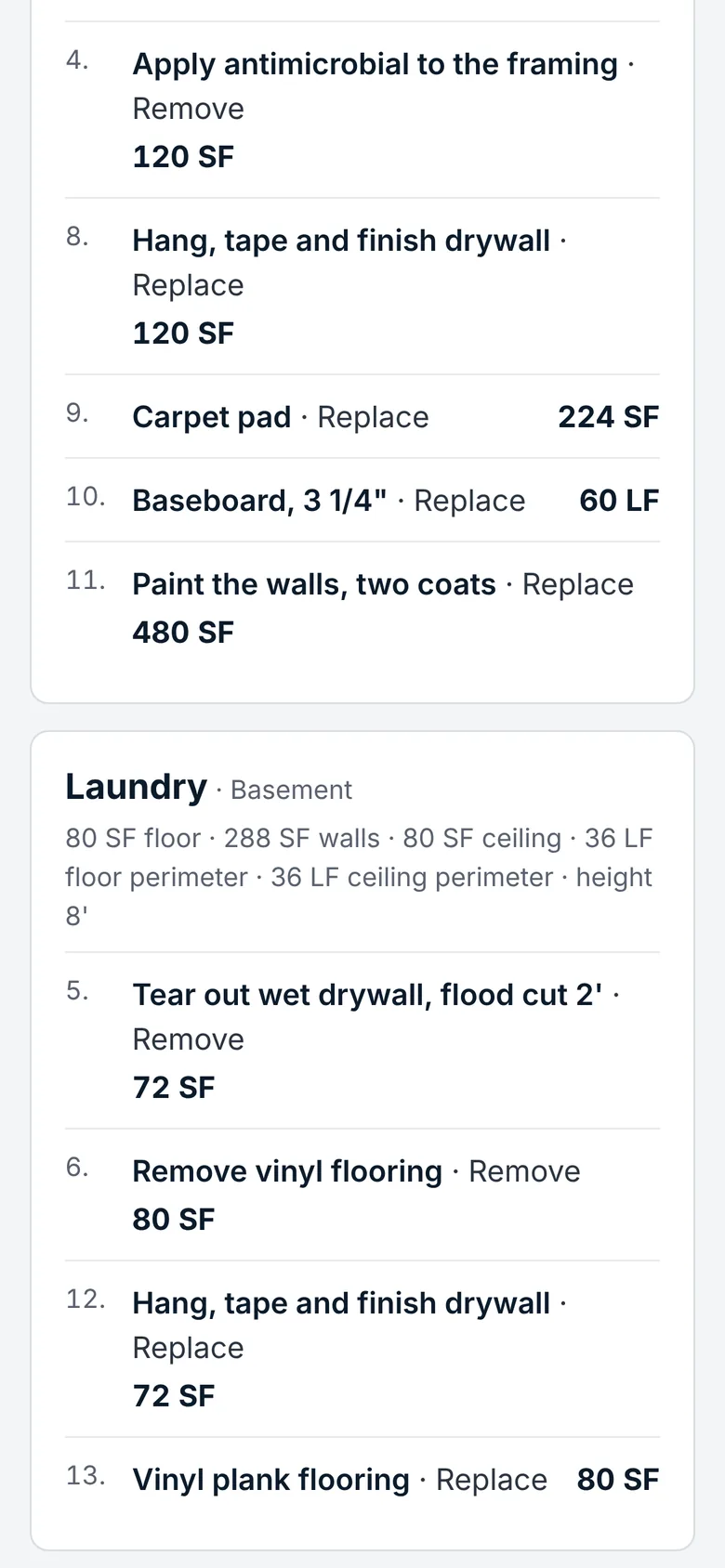
Remove, replace, detach and reset, clean, seal and paint. Tax and 10 and 10 O&P. Tap any line to see its quantity, waste, tax and O&P worked out.
Mitigation and reconstruction
Two estimates on one job, each with its own total, PDF, overhead and profit, and supplements. By one company or two.
Water, fire, smoke and storm
Plus mold and asbestos: containment, remediation and clearance, recorded by area with photos.
Your own price list
Start from Skydraft's restoration list and change it. A job keeps the prices it started with.
Photos as proof
Pin a photo to a line. It goes on the PDF's photo pages, by room, with its caption and line number.
The breakdown
Where the price goes: by cost, by room and by trade. For you only, never on the carrier's PDF.
Your real cost and profit
Optional: what the job really cost you, line by line, against what you billed.
Carrier-ready, and kept as you sent it
- 01Skydraft builds the report
Lines by room with their actions, tax and O&P, a recap by room and category, and the sketch pages.
- 02Each revision is kept
Issue it and that version is saved as it was, to the cent. It can't change underneath you.
- 03Supplements, line by line
Hidden damage found later goes in a numbered supplement, compared to what you sent.
- 04Compared with theirs
Attach the carrier's PDF. It's read on your computer and compared line by line, to the cent.
Every monitoring visit, planned and logged
Inspections, setting up equipment, monitoring and taking it out, on the Schedule, each with its checklist.
- Checklists that fitMonitoring starts with moisture readings at every point, an air reading in each room, the equipment check and photos.
- Today shows who's whereEvery visit on a map, who's on site and who's next.
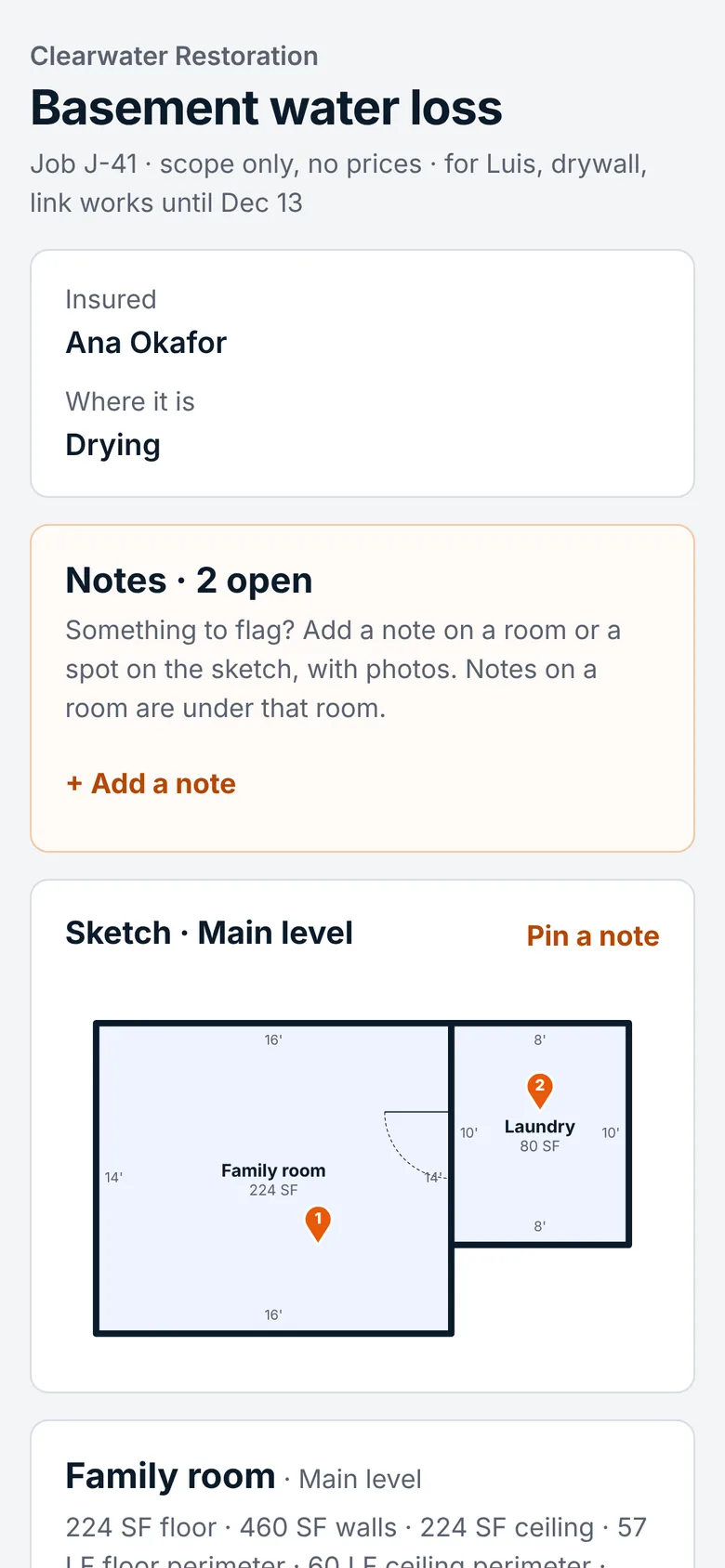
- Scope to the fieldText the scope to your crew or a sub: rooms, measurements, the sketch and the lines, never the money or the claim.
- Notes back, pinnedThey pin a note and photos to the spot on the sketch: “wet behind the vanity.” The bell tells the office.
- Lead techs keep the logInvite your lead techs as free field people and let them keep the drying log from their phone, on the jobs they're on.
Restoration questions
Do I need the sketch to write an estimate?
No. Lines can be typed with their own quantities. The sketch measures them for you when you want it.
Can the crew log readings on site?
The Skydraft app for iPhone and iPad is on its way, for logging on site even with no signal. Today the log is kept on the website, and the crew can send notes and photos from the field link on any phone.
Does the AI set prices?
Never. It only picks items from your price list, and Skydraft's engine works out every total.
Can I have mitigation and reconstruction done by different companies?
Yes. They're two estimates on one job, each issued on its own.
Write your next loss in Skydraft
Restoration plan: $169 a month, up to 10 users, then $29 each.
7 days free on every plan. No credit card.